Is your app buried on the 50th page of the App Store results? You are not alone.
Most developers waste hours brainstorming keywords manually. This "guessing game" is outdated.
The most effective strategy in 2025 is Competitor Analysis. This guide will show you exactly how to do ASO keyword research by analyzing what competitors are using to rank high, and how you can reverse-engineer their success.
Why Analyze "App Store Keywords Competitors"?
Before using any tools, you need to understand why competitor analysis is superior to traditional brainstorming.
In the world of ASO keyword research, your competitors have already done the hard work for you. By analyzing the app store keywords competitors are ranking for, you gain three strategic advantages:
- Validated Traffic: You don't need to guess if a keyword has traffic. If a competitor ranks #1 for it, it works.
- Hidden Opportunities: Competitors often find niche long-tail keywords you would never think of.
- Risk Reduction: You avoid targeting keywords that are too difficult or irrelevant.
Step 1: Identify the "Right" Competitors
You cannot analyze competitors if you don't know who they are. But be careful: not all competitors are equal.
According to industry standards, you need to track three layers of competition:
- Direct Competitors: Apps that do exactly what you do (e.g., if you are a "Vegan Recipe App", your direct competitor is another "Vegan Recipe App").
- Indirect Competitors: Apps that target the same audience but offer different features (e.g., "Calorie Counter Apps"). They might use keywords like healthy eating or diet plan that you can steal.
- Mid-Tier Competitors: Do not just look at the Top 3 giants (like TikTok or Facebook). Look for apps ranked #10-#50. These apps often have the most aggressive optimization strategies because they fight harder for visibility.
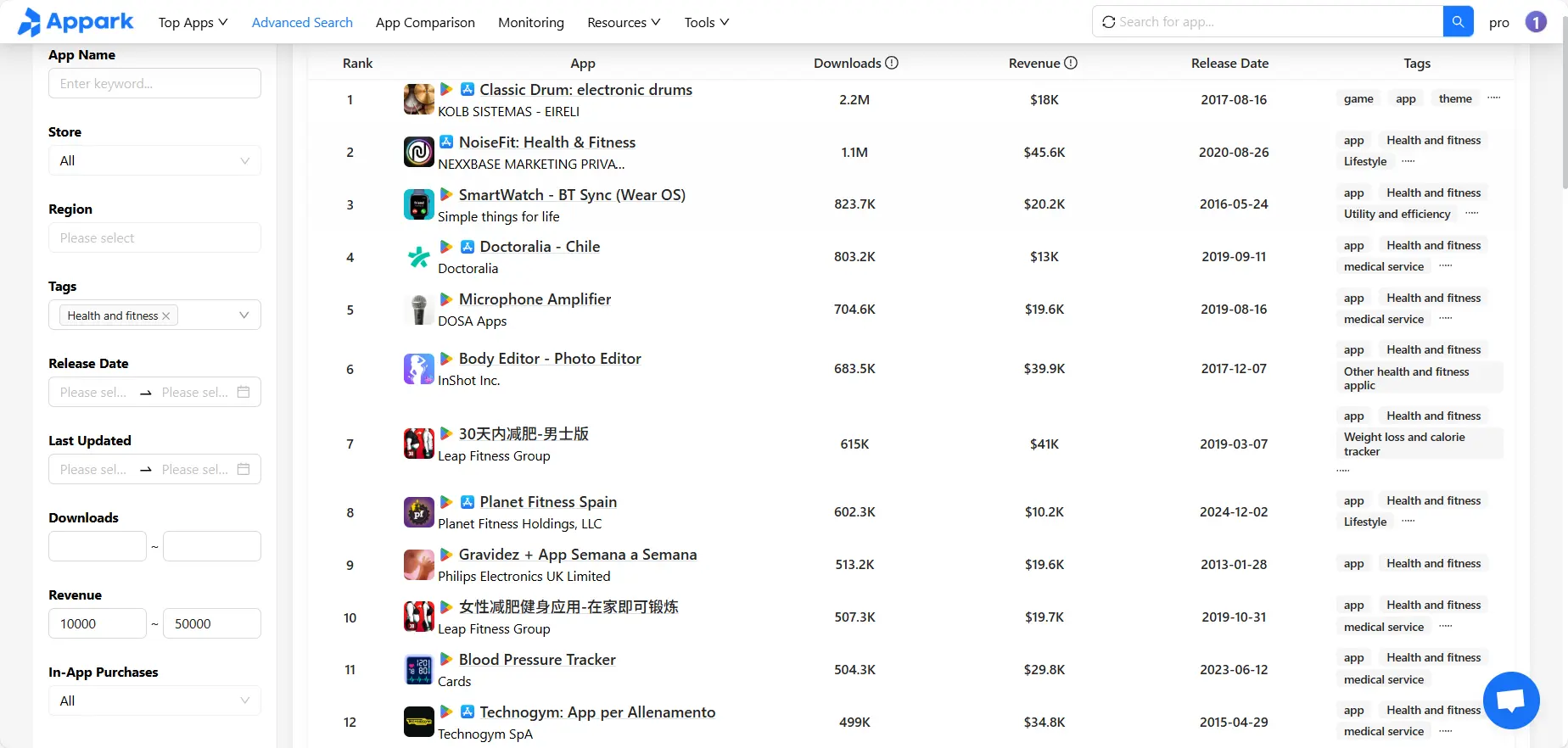
Step 2: Extract Keywords with ASOTools (The Spy Strategy)
Once you have your target list, it's time to "spy" on their data. This is the core of effective ASO keyword research.
How to execute with ASOTools:
- Analyze your competitor using ASOTools (you can use the Web Dashboard or the Browser Extension for instant insights).
- Unlock hidden metrics like Search Volume and Keyword Difficulty (KD) that represent the real traffic potential.
- Filter the list to find terms with high volume but manageable difficulty (Green KD scores).

Pro Tip: Understanding "Keyword Difficulty"
Don't just look at Search Volume! ASO tools define Difficulty based on how many strong competitors are already ranking.
- Difficulty > 70 (Red Zone): Unless you are a Top 10 app, avoid these.
- Difficulty < 40 (Green Zone): These are your quick wins. Even a new app can rank here with the right metadata.
The "Long-tail" Secret: Quality Over Quantity
When extracting keywords, beginners often make a fatal mistake: they only pick the keywords with the highest Search Volume (e.g., "Fitness").
However, the real gold is in Long-tail Keywords.
- Short-tail Keywords (Head Terms): High volume, insane competition, low conversion intent. (e.g., "Photo")
- Long-tail Keywords: Lower volume, lower competition, high specific intent. (e.g., "Passport photo maker for visa")
Why prioritize Long-tail?
A user searching for "Passport photo maker" knows exactly what they want and is 10x more likely to download your app. When analyzing your competitor's list, look for these specific, multi-word phrases (3+ words).
Step 3: Validate with Appark (The "Truth" Check)
Finding a keyword list is only half the battle. How do you know if a specific keyword actually drove downloads for your competitor?
You need to correlate Metadata Updates with Rank Changes.
For this, we use Appark.ai.
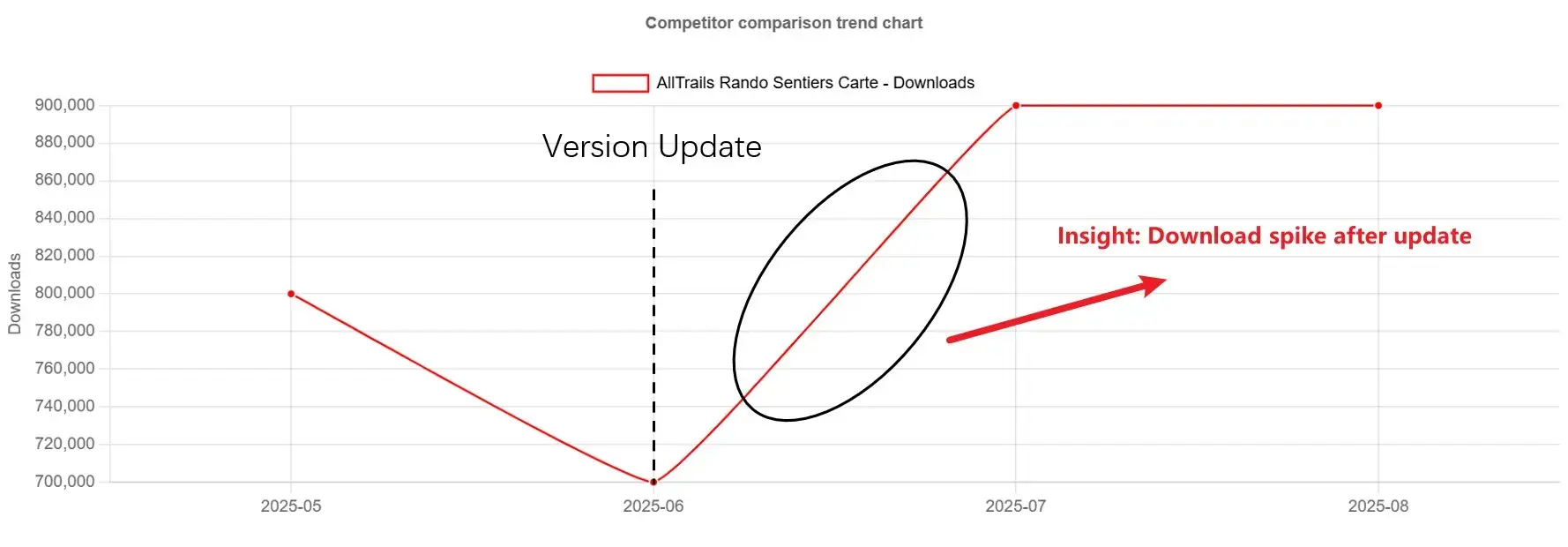
Case Study: The "Feature Update" Signal
(Based on monitoring logic)
- The Alert: Appark notifies you that a competitor updated their app description on June 1st.
- The Change: You notice they added phrases like "Offline Mode" or "Dark Theme".
- The Result: A few days later, their category ranking improved.
Insight: This confirms that the new keywords are driving growth. You should prioritize these keywords in your own update.
Step 4: Localization (Global Competitors)
When analyzing app store keywords competitors leverage, don't forget the global market.
A competitor might be weak in the US but dominating in Brazil or Germany.
- Action: Use ASOTools to check your competitors' rankings in other countries.
- Opportunity: If they rank high in a non-English country, simply translating those keywords can bring in a wave of new users with lower competition.
3 Common Mistakes to Avoid in 2025
Even experienced marketers fail at ASO. Here are the traps you must avoid:
- Copying the "Giants" Blindly: Do not copy keywords from Uber or Instagram. Their ranking is based on brand power, not keyword optimization. Stick to "mid-tier" competitors.
- Ignoring Keyword Difficulty: If you target keywords with a Difficulty score of 80+, you will likely rank at position #200, resulting in zero traffic.
- The "Set and Forget" Mentality: App Store algorithms change daily. A keyword that drives traffic today might die next month. This is why Step 3 (Appark Monitoring) is crucial. You must treat ASO as an ongoing cycle.
Conclusion
The era of guessing keywords is over. To win in 2025, you must adopt a Competitor-First Strategy.
- Identify your true competitors (Direct & Indirect).
- Extract their winning long-tail keywords using ASOTools.
- Validate the impact of those keywords using Appark.
By mastering the art of analyzing app store keywords competitors use, you turn their success into your roadmap for growth.
Frequently Asked Questions (FAQ)
1. Why is competitor analysis crucial for ASO keyword research?
Traditional brainstorming often leads to targeting keywords with zero traffic. By analyzing app store keywords competitors are already ranking for, you validate the traffic potential and difficulty before you even start. It is the most data-driven way to do ASO competitive research.
2. How many competitors should I track?
We recommend tracking 5-10 competitors. Do not just focus on the category leaders (Top 3); look for "mid-tier" apps ranked #10-#50. These apps often use aggressive ASO keyword research strategies that are easier to replicate for growth.
3. What tools are best for finding competitor keywords?
You need a tool that provides accurate ranking data and search volume. ASOTools is excellent for extracting the raw keyword list, while Appark is essential for validating if those keywords actually drive downloads through version update monitoring.
4. Can I just copy my competitor's keywords?
No. You should use them as a "seed list." Always check the Difficulty score. If a competitor has a much stronger brand than you, you might not rank for the exact same high-difficulty terms. Look for relevant, medium-difficulty keywords from their list.